

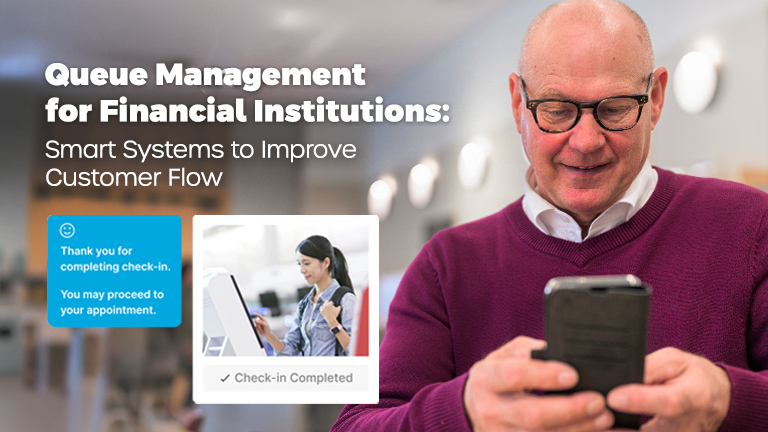
Queue management for financial institutions is the technology and operational practice that controls how every customer moves through a branch, from arrival to the moment their need is met. For banks, credit unions, and branch network leaders, the goal of a modern queue management system is simple to state and difficult to achieve at scale: lower wait times, fewer walkouts, and consistently better service delivered by the same staff, in the same square footage, doing the same work.
This guide is written for retail bank executives, credit union COOs, and branch managers responsible for the customer experience inside physical branches. It covers what a smart queue management system does, how it integrates with your branch and core systems, the metrics it should move, and a practical roadmap for rolling one out across a multi-branch network.
The two outcomes that matter most are wait-time reduction and service quality. Done well, queue management for banks reduces average wait times by 30 to 50 percent and lifts measured customer satisfaction (CSAT) by 10 to 20 points within the first year, without adding headcount.
Overview of a queue management system for banks
A queue management system for banks is a software platform that coordinates customer arrival, routing, and service across one or more branches. The system replaces the physical line with a managed digital workflow: customers join a queue from a kiosk, mobile app, SMS link, or scheduled appointment, and branch staff use a real-time dashboard to call the next customer based on rules that match service type, wait time, and staff skill.
Core components of queue management software
Every credible queue management system for banks contains six functional layers:
- Check-in interfaces. Kiosks, mobile apps, web links, and SMS that let customers enter the queue without standing in line.
- Routing engine. The intelligent logic that decides which customer goes to which staff member, based on service type, skill mapping, and current wait time.
- Manager dashboard. Real-time visibility into queue length, average wait time, staff load, and the service-type mix moving through the branch.
- Customer notification layer. Automated SMS, push, and email messages informing customers of position changes, readiness, and reminders.
- Appointment scheduling module. Pre-booked visits handled alongside walk-ins in a single, unified flow.
- Analytics and reporting. Every wait, service duration, and outcome captured so branch operations can be measured and improved.
Expected operational efficiency gains
Banks and credit unions that deploy queue management software at the network level typically see:
- 30 to 50 percent reduction in average wait time
- 15 to 25 percent improvement in staff utilization
- 20 to 40 percent reduction in walkout rates
- 10 to 20 point lift in CSAT scores
- 25 to 35 percent reduction in lobby congestion during peak periods
- Visibility across the whole network, not just per-branch anecdote
How a virtual queue integrates with branch layout
A virtual queue lets customers wait wherever they choose: in the lobby, in their car, or at a coffee shop across the street, rather than physically standing in line. Combined with kiosk or mobile check-in, this changes how branch space works. Lobbies become consultation areas rather than waiting rooms. Floor space that used to hold a roped-off line can now support advisory conversations, self-service zones, and seated waiting for older or less mobile customers. Staff can flex more easily between teller windows and advisory desks because the routing engine adjusts dynamically rather than relying on physical line position.
For branches retrofitting an existing footprint, this usually means fewer roped-off lines, a smaller transaction zone, and an enlarged advisory or universal-banker zone. For new branches, queue management software is often what makes the open, café-style layout operationally feasible in the first place.
Customer flow and waiting experience goals
Before specifying features, set targets. Queue management for banks works best when each service type has its own measurable goal, rather than being lumped under a single branch-wide wait-time average.
Target wait times by service type
| Service type | Target wait time |
| Cash transaction (deposit or withdrawal) | Under 2 minutes |
| Account servicing (statements, address change, card reissue) | Under 5 minutes |
| New account opening | Under 15 minutes |
| Loans, mortgages, advisory | Scheduled appointments, near-zero wait at appointment time |
| Member or commercial relationship visit | Scheduled appointments, branch greeter intercept on arrival |
These are workable targets for an average retail branch. They become an objective for the routing engine to deliver, not a marketing claim.
Prioritize improvements to the waiting experience
Even with the best routing, some waiting is inevitable. The waiting experience itself can be designed:
- Show the customer where they are in line and how long the wait is, in real time.
- Let them leave the branch knowing the system will text them when they are five minutes away from being called.
- Use the queue moment to ask one structured question (“Anything else we can help with today?”) so the conversation that follows is prepared rather than reactive.
- Match each customer to a named staff member before they arrive at the desk, so the greeting is personal.
Identify high-impact service types to optimize first
Most branches have three or four service types that drive the bulk of wait-time complaints. These are usually the longest interactions: new account opening, complex problem resolution, and advisory conversations. Targeting these first, by routing them to the right skilled staff and protecting them from being interrupted by walk-up transactions, produces a disproportionate lift in measured satisfaction.
Benefits: operational efficiency and serving customers
The business case for queue management for banks rests on three measurable categories of gain.
Staff productivity
A well-tuned queue management system routes customers to the staff member best matched to their need. That eliminates the mismatches in which a senior banker handles a routine transaction, or a teller is interrupted by a complex consultation. The typical result is a 15 to 25 percent improvement in measured staff utilization per branch.
In multi-branch networks, the same software exposes which branches are under- or over-staffed against actual demand patterns. That lets branch operations flex staffing without adding headcount. Across the FMSI network, this kind of demand-matched staffing is the single biggest productivity lever branches can pull.
Reduced walkouts and no-shows
Walkouts are customers who arrive, see the wait, and leave. They are the most expensive form of lost business in a branch because they cost both a transaction and the customer’s trust. Virtual queue and SMS-update capabilities typically reduce walkouts by 20 to 40 percent, because the customer no longer has to choose between standing in line and leaving entirely.
Appointment no-shows respond to a different mechanism. Automated reminders sent 24 hours, 2 hours, and 15 minutes before an appointment routinely lift completion rates from the 75 to 80 percent range into the 90s. The FMSI network averages a 91 percent appointment completion rate using this pattern.
Customer satisfaction (CSAT)
Customer satisfaction in branches correlates more strongly with perceived wait time than with any other single variable. Queue management software improves both actual and perceived wait time: actual through routing, perceived through visibility. Most credible deployments produce a 10 to 20 point CSAT lift in the first 12 months, with the largest gains in the branches that started from the worst positions.
Key features of a smart queue management system
When evaluating queue management software for a bank or credit union, four feature categories are non-negotiable.
Virtual queue capability
A virtual queue is the difference between modern queue management and an electronic version of “take a number.” It should support remote check-in via mobile, web link, and SMS, not just a kiosk in the lobby, and it should send position updates to the customer in real time.
Appointment scheduling integration
Walk-in queuing and appointment scheduling have to live in the same system. If they live in separate tools, branch staff end up running two queues in parallel, and the customer experience fragments. Insist on a unified flow: an appointment slot occupies the same routing logic as a walk-in arrival, and a customer can convert between the two without leaving the conversation.
Real-time dashboards for managers
A branch manager should see, in real time: current queue length, average wait by service type, staff utilization, no-show rate, and a flag for any service type drifting outside its target. Network-level dashboards should aggregate the same picture across all branches. Without this layer, queue management software becomes invisible to the people who run the branch.
Multi-channel customer notifications
The customer should be reachable by whichever channel they prefer: SMS, push notification through a mobile app, email, or a printed ticket. Notifications should cover queue join, position updates, readiness, and post-visit follow-up. This is also where customer expectation is shaped. A customer who has been told accurately, “you’ll be called in 8 minutes,” tolerates the wait far better than one staring at an unmoving line.
How queue management software works in branches
A typical branch customer journey under queue management for banks runs through five stages.
- Arrival or pre-arrival. The customer either walks into the branch and uses a kiosk, mobile app, or web link to check in, or arrives with an appointment scheduled in advance. Either way, they enter the same queue system.
- The routing engine assigns the customer to the appropriate service stream (teller, advisor, or specialist) based on the reason for visit and the skills of available staff.
- The customer waits wherever they choose. SMS or app updates keep them informed of position. They can step out, pause their place, or convert to an appointment if the wait is unacceptable.
- When the customer is at the front of the queue, a staff member calls them by name, having seen on the dashboard what the visit is about. The interaction starts prepared, rather than discovering its purpose mid-conversation.
- Completion and analytics. The visit is logged with service type, duration, outcome, and (optionally) a CSAT survey. All of that feeds the analytics layer for branch operations.
Routing rules for different service types
Routing rules in a queue management system for banks are typically expressed as: given a customer requesting service type X, route to the available staff member with the highest skill in X, biased toward the shortest expected total time. For complex services (mortgages, business banking, wealth conversations), the rules also lock the customer to a specific named individual, rather than the next available staff member.
Token issuance via kiosk, app, or SMS
The token, or position number, the customer receives must be recognized wherever they check in. A customer who books an appointment online should see the same token in their email confirmation, in their SMS reminder, and on the in-branch dashboard. Disconnects between channels destroy the customer experience and the routing engine at the same time.
Intelligent routing and teller workflows
The routing engine is the most important part of any serious queue management for banks. It is what separates a digital ticketing system from a queue management platform.
Matching customers to staff skills
Every staff member should have a skill profile: services they can perform, languages they speak, and certifications they hold (notary, mortgage origination, investment advice). The routing engine matches customer needs to these profiles, so that complex visits land with qualified staff and routine visits do not consume specialist time.
Priority rules for high-value customers
Most banks operate tiered relationship segments (private banking, premier, commercial), and queue management software should respect them. Priority rules can be expressed as: flagged customers are routed to a dedicated specialist, or if none is available, jump the queue for the next standard advisor. The same logic applies to credit unions running enhanced member tiers.
Overflow rules for peak periods
Peak periods are where queue management for banks earns its keep. Overflow rules govern what happens when the standard routing cannot meet target wait times. For example, the system can automatically extend the eligible-staff pool to include cross-trained backup, or temporarily redirect walk-ins to remote or video service options. Without overflow rules, peak periods produce the worst customer experience of the week.
Appointment scheduling and hybrid flow
Appointment scheduling is no longer optional in a branch. For loans, mortgages, advisory conversations, account openings, and complex problem resolution, customers expect to book a time rather than wait for one.
Integrating appointments with walk-in queues
A single queue management system should handle both. An appointment at 10:15 enters the same routing logic as a walk-in who checked in at 10:05. The appointment carries a guaranteed slot, and the walk-in carries a wait estimate that accounts for it. Trying to run two parallel systems is the most common operational failure in branch queue management, and it always shows up in the data.
Converting walk-ins to appointments
A high-quality queue management system lets a branch greeter convert a walk-in to an appointment in two clicks. That preserves the customer’s relationship while giving them a specific time later that day or that week. It is especially valuable for service types that cannot be served immediately because the right specialist is not on site. Across the FMSI network, walk-ins that convert to scheduled appointments produce a 3x lift in cross-sell conversion, compared to walk-ins that are handled in a single visit.
Reminders and confirmations
Appointment reminders should be sent 24 hours, 2 hours, and 15 minutes before the appointment, by the channel the customer prefers. Confirmations should be one click. This pattern is what consistently lifts appointment completion rates above 90 percent.
Virtual queue and remote waiting solutions
A virtual queue is the operational difference between a 2010-era queue management system and a modern one.
Joining the queue remotely
Customers should be able to join the queue before they arrive at the branch. That means from the bank’s mobile app, from a web link sent in marketing email, or from a “join queue” button on the branch locator page. Once joined, they receive position updates and an estimated arrival recommendation, such as “Come to the branch in approximately 25 minutes.”
Position updates via SMS or app
Updates should be automatic and accurate. The standard pattern is: a join confirmation with initial estimate, a halfway-there nudge, a 5-minutes-away alert that instructs the customer to make their way to the branch, and a final “we’re ready for you” message.
Pausing or rescheduling remotely
Customers should be able to pause their place in the queue, postpone by a set interval, or reschedule entirely without losing their position. That converts what would otherwise be a walkout into a deferred visit, recapturing both revenue and trust.
Service types and multi-point routing
Branches have to serve very different kinds of need from the same physical footprint. Multi-point routing is how a queue management system manages that complexity.
Classifying service types
A useful classification splits visits into three categories:
- Cash, deposits, payments. Short, high-volume, requires teller skill.
- Account changes, card issues, statements, problem resolution. Medium-length, requires servicing-trained staff.
- Lending, account opening, planning conversations. Long, scheduled where possible, requires named specialist.
Dedicated lanes for specialized services
For premier members, business banking, mortgages, and investment, dedicated lanes with their own routing rules and waiting experiences protect both the specialist’s calendar and the high-value customer’s time. These lanes can be physical (a dedicated desk), virtual (a routing rule that always reserves the next slot of a particular specialist), or both.
Cross-service routing for flexible staffing
In branches where staff are cross-trained, the routing engine should be able to draw on cross-skilled staff when a specific service lane is congested. That is the technical foundation of the universal-banker model, and the reason many banks have moved to it: queue management software is what makes the universal-banker model operationally feasible.
Analytics, reporting, and customer flow data
The analytics layer is what turns queue management for banks from an operational tool into a strategic one.
Wait times and service durations per counter
Every service interaction should produce a recorded wait time and service duration tied to the staff member, service type, branch, and time of day. This is the raw data that feeds everything else.
Dashboards for daily and branch-level comparisons
Day-of dashboards help the branch manager. Cross-branch dashboards help the network operations leader: which branches are over target, which are setting the benchmark, where is the volatility coming from. Year-on-year and month-on-month comparisons help finance and strategy.
Exporting trends for staffing forecasts
The most valuable analytics use case is predictive staffing. Given the demand pattern that the queue management system has observed across the last 12 months, the system should be able to recommend staffing levels (by role, by branch, by hour) that match it. Predictive staffing is where queue management for banks crosses over into workforce optimization.
Implementation roadmap for banks and credit unions
A multi-branch deployment of queue management software follows a predictable four-phase pattern.
- Needs assessment. Map current customer flow, wait times, walkout rates, and service mix across the branch network. Identify the pilot branches, usually two or three branches that cover the network’s footprint variance.
- Deploy at the pilot branches for 60 to 90 days. Measure against baseline. Capture both operational data and qualitative feedback from staff and customers.
- Staff training. Roll out role-specific training. Branch managers learn the dashboard. Frontline staff learn the routing and notification workflow. Universal bankers learn the cross-service logic. Training should be repeated, not one-shot.
- Phased regional rollout. Roll out region by region, typically eight to twelve weeks per region for a 25-branch network. Concentrate support resources during each region’s go-live window.
The full pattern for credit unions or community banks with up to 25 branches typically runs 3 to 6 months end to end. Larger networks scale the timeline rather than the pattern.
Integration, security, and compliance
Queue management software sits between the customer-facing experience and the back-office data layer. Its integration footprint and its security posture matter equally.
Integrating with core banking and CRM
The queue management system should connect to your core banking platform (for customer lookup at check-in and post-visit logging) and your CRM (for relationship context and follow-up). Connections are usually built on REST APIs, SAML 2.0 for SSO, and standard middleware. Confirm before procurement that the vendor has integrated with your specific core (Fiserv, Jack Henry, FIS, Corelation, CSI, etc.) and your CRM (typically Salesforce).
Data encryption and audit logging
Customer-identifying data must be encrypted in transit and at rest. Every staff action (call next customer, change service type, reroute) should be logged for audit. Single sign-on through Okta, PingIdentity, Microsoft Entra ID, or your existing identity provider is the standard.
Compliance with financial regulations
For US banks and credit unions, that means GLBA-aligned data handling, FFIEC examination support for banks, NCUA examination support for credit unions, and the ability to produce audit logs on request. Vendors should be able to supply a SOC 2 report, a completed vendor due-diligence questionnaire, and (under NDA) a penetration test summary.
Change management and staff adoption
Queue management for banks succeeds or fails on staff adoption. The software is identical from branch to branch. The outcomes are not.
Involve frontline staff in workflow design
The people who run the lobby and the tellers’ line know which routing rules will work and which will not. Pulling them into pilot design produces both better rules and better adoption. Skipping this step is the most common reason rollouts stall after pilot.
Run role-play sessions for new routing rules
Before go-live, run scripted role-plays for each new workflow: a complex walk-in, a peak-period overflow, a no-show, a customer in the wrong service lane. Staff should encounter every common scenario in training before encountering it on the floor.
Collect feedback during pilot and iterate
Pilot is not just a measurement exercise. It is a design exercise. Routing rules, notification scripts, dashboard configurations, and skill mappings should all be refined during the pilot window based on actual experience. The system you launch to the full network should be a meaningfully better version of the system you launched at pilot.
Measuring ROI and operational efficiency gains
The ROI case for queue management for banks should be measurable, branch by branch, against a documented baseline.
KPIs for wait times, throughput, and CSAT
The minimum KPI set should include average wait time by service type, throughput per staff hour, walkout rate, no-show rate, appointment completion rate, CSAT score, and cross-sell conversion per visit. Any vendor that cannot produce these numbers out of the box should be deselected.
Before-and-after measurement per branch
Capture the baseline before pilot in each branch. Measure again at 90 days post go-live. Report at 6 and 12 months. This rhythm gives the network operations leader the evidence to defend the investment and the data to identify the branches that need additional support.
Calculating cost savings
The cost-savings case combines three sources: staff productivity (more service delivered per FTE-hour), reduced cost-to-serve (fewer wasted minutes between visits), and reduced walkout losses (recaptured revenue and protected relationships). For a typical regional bank deployment, these three together usually pay back the software investment in 9 to 18 months.
Common challenges and mitigations
Two operational risks come up in almost every queue management for banks deployment.
Integration pain points and fallback plans
The most common integration friction is at the core banking layer. Older cores expose limited APIs and require middleware. Plan for this in the procurement phase by asking the vendor for a list of named, in-production integrations with your core. If your core is not on that list, build the integration scope and timeline into the contract.
Fallback: in branches where the core integration cannot be completed by go-live, deploy the queue management system in standalone mode first (customer lookup happens at the desk rather than at check-in) and add the core link as a phase two enhancement.
Contingency plans for kiosk or network outages
Kiosks fail. Networks drop. Branches should always have a paper-token fallback ready, and frontline staff should be trained on it. The queue management system should also support a “lobby-mode” workflow that allows the branch greeter to act as the kiosk during an outage, so no walk-in customer is turned away.
Use cases: banks, credit unions, and specialized branches
Different institution types have meaningfully different requirements from the same queue management software.
Retail bank branches
Standard configuration for banks: walk-in plus appointment, four service streams (transactions, servicing, advisory, premier), virtual queue, manager dashboard at each branch, and a network dashboard at operations HQ.
Credit unions and smaller offices
Credit unions typically operate smaller average branch footprints with a deeper relationship expectation. Configuration emphasizes named-banker routing, member-tier priority rules, and tighter integration with the member relationship system. For small offices, the universal-banker model is more common, and routing rules should support it.
Mortgage, investment, and commercial desks
Specialized desks usually operate by appointment only, with walk-ins triaged to a scheduled return visit. Configuration here focuses on appointment integrity, named-specialist routing, no-show recovery, and integration with the specialist’s own calendar (Outlook, Google) so that double-booking is impossible.
Frequently asked questions
What is queue management for banks?
Queue management for banks is software that coordinates customer arrival, routing, and service across one or more branches. It combines virtual queuing, appointment scheduling, intelligent staff routing, and real-time analytics in a single system. Its purpose is to reduce wait times, lower walkout rates, and improve the consistency of customer service across the branch network.
How much can a queue management system reduce branch wait times?
A well-deployed queue management system for banks typically reduces average wait times by 30 to 50 percent in the first year, with the largest improvements concentrated in the longest service interactions (account opening, advisory, and problem resolution).
What is a virtual queue and why does it matter?
A virtual queue lets customers wait wherever they choose: in the lobby, in their car, or away from the branch entirely. It sends position updates by SMS or mobile app. It reduces walkouts by 20 to 40 percent because customers no longer have to choose between standing in a line and leaving the branch.
How long does it take to implement queue management software across a multi-branch network?
For a network of up to 25 branches, a phased rollout typically runs 3 to 6 months end to end: pilot at 2 to 3 branches for 60 to 90 days, then regional rollouts of 8 to 12 weeks each. Larger networks scale the timeline rather than the pattern.
Does queue management for banks integrate with core banking and CRM?
Yes. Modern queue management software integrates with most major core banking platforms (Fiserv, Jack Henry, FIS, Corelation, CSI) and with CRM systems (typically Salesforce) using REST APIs and SAML 2.0 single sign-on. Confirm at procurement that the specific vendor has named, in-production integrations with your core.
What features should we require in a queue management system?
Four features are non-negotiable: a true virtual queue (remote check-in plus SMS or app updates), unified appointment scheduling and walk-in flow, real-time branch and network dashboards, and multi-channel customer notifications. Without all four, the system is incomplete.
How do we measure the ROI of queue management software?
Measure wait time, throughput per staff hour, walkout rate, no-show rate, appointment completion, CSAT, and cross-sell conversion against a documented baseline. Re-measure at 90 days, 6 months, and 12 months. For a typical regional bank, the combined gains in staff productivity, reduced walkouts, and recaptured revenue pay back the software investment in 9 to 18 months.
Next steps
For banks and credit unions exploring queue management software for the first time, the most useful entry point is usually a single-branch pilot with measurement against a baseline. Picking a partner who has done this in financial services specifically, not in retail or healthcare, matters more than feature lists at this stage. FMSI has spent more than two decades building queue management, appointment scheduling, lobby management, and branch analytics for banks and credit unions exclusively.
Talk to our team for a working session on your branch network.